![Logo Skillup Eletric Blue-1.svg]](https://helpcenter.skillup.co/hubfs/Logo%20Skillup%20Eletric%20Blue-1.svg)
To validate a training request:
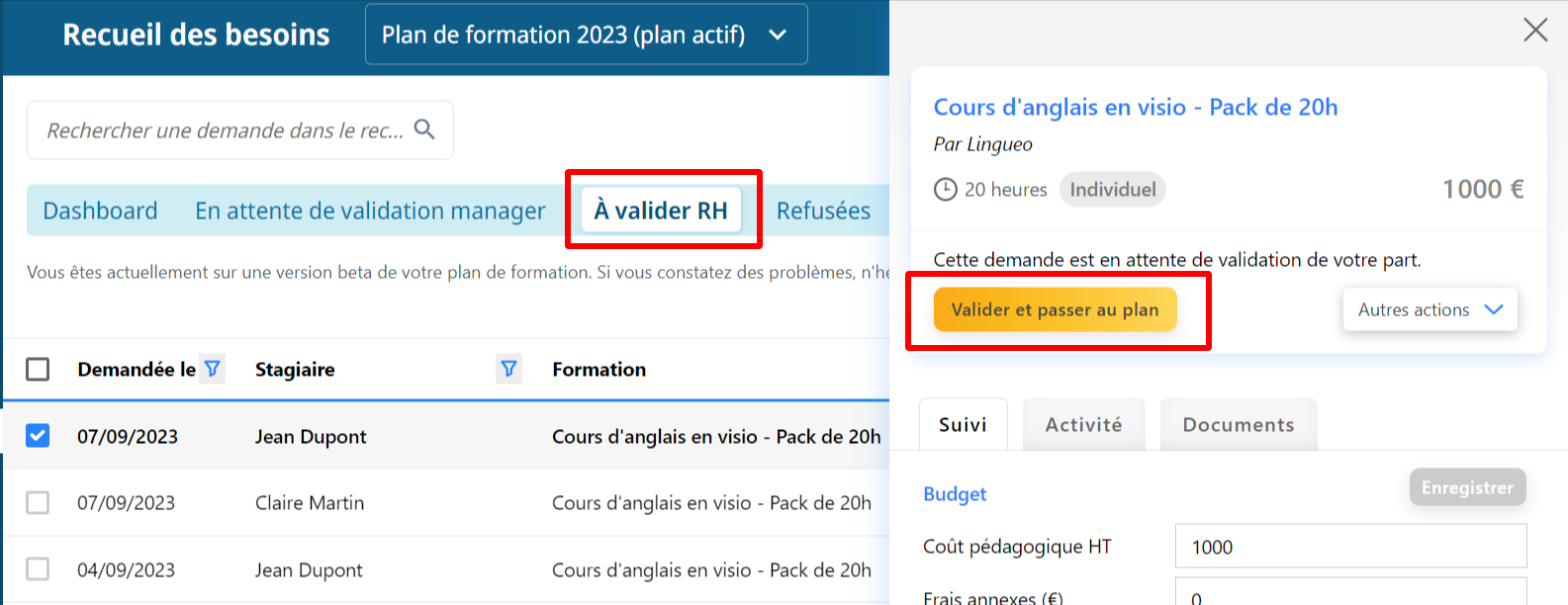
- Go to your Manager Space and then to Training > Needs Collection.
- Next, go to the “To be validated by HR” tab.
- Select the row to be validated.
- In the side panel, the main action button (in yellow) “+ Validate and move to plan” allows you to confirm the training request. The row will then move to the Training Plan table, under the To be registered tab.
💡 Note: From the other tabs in the needs collection, it is also possible to validate a row from the side panel, via the “+ More actions” > Validate and move to plan button.